


Jayric is a Forensic Science graduate with over five years of writing experience and a passion for reverse engineering and hardware.
His tech journey kicked off in childhood with an old hand-me-down Nokia N91, where he repackaged Java games like a Symbian port of Pokémon Blue to tweak TMs and Poké Dollars. By high school, he was flashing custom Android ROMs and trading modded games for lunch money, and in college, he learned C/C++ and electronics on a TI Tiva C LaunchPad, then went on to create DIY projects ranging from USB security keys to home automation devices.
Jayric now enjoys writing at MUO to keep sharing and learning about tech while honing his own craft. Outside of tech, he enjoys grinding CS2 and Dragon Nest, lifting weights, running daily 5Ks, and reading in his greenhouse.
I've been cleaning my Windows desktop lately by hiding all my app icons and pinning only my most used apps on the taskbar. The result was clean and distraction-free, exactly what I wanted. But there was a catch. While this minimalist approach looked great, it made opening unpinned apps much harder. The default Windows search launcher worked fine when staring at my desktop. But the moment a window covered my screen, things got annoying. I had to move my mouse all the way down to reveal my auto-hiding taskbar just to access the search bar. That extra step broke my flow every single time. So I tested several launchers like Keypirinha, Everything, Wox, and PowerToys Command Palette. After trying them all, I finally found my favorite—Ueli.
Why I switched to Ueli after testing numerous launchers
Feels like a native Windows app
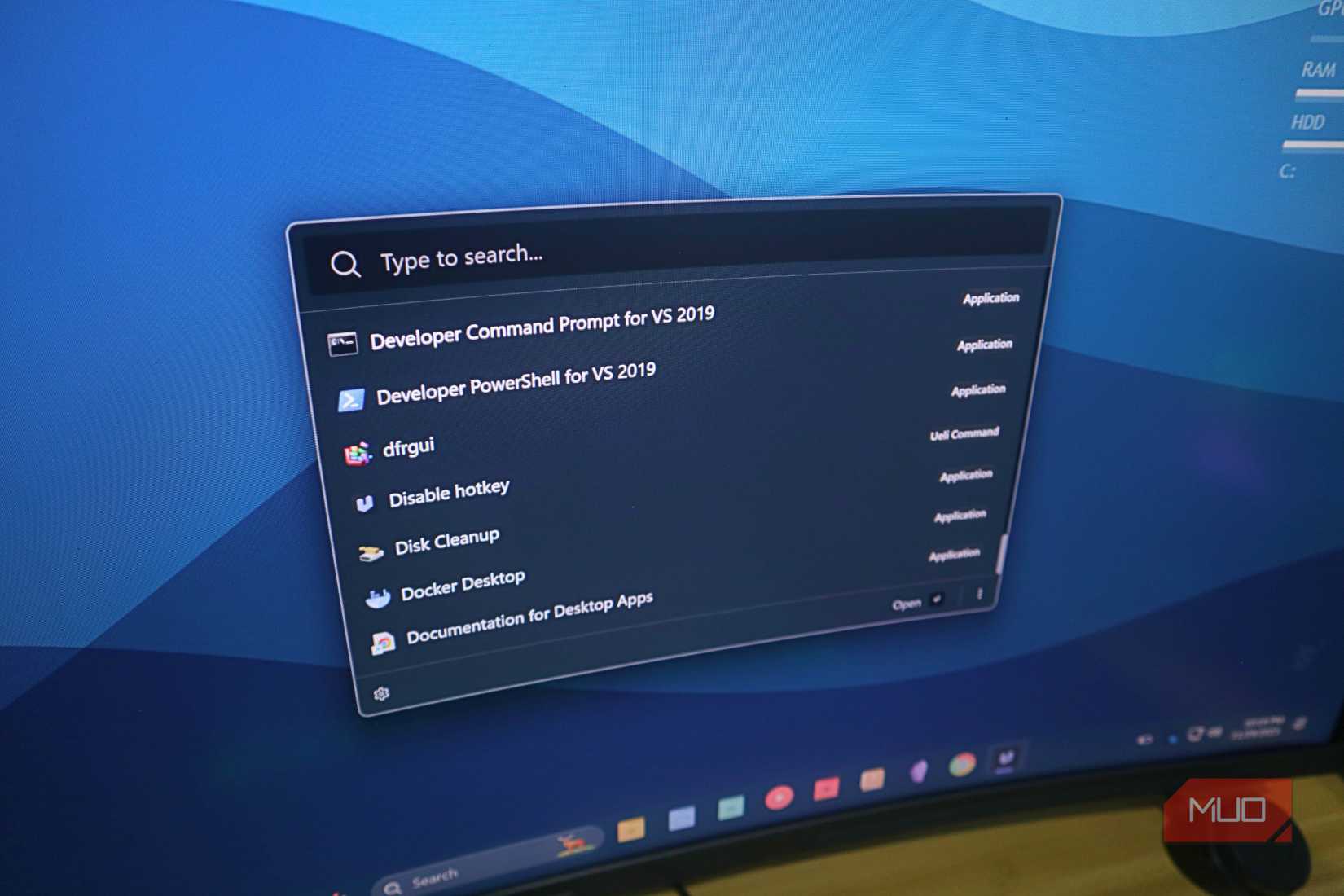
I initially settled on Command Palette mostly because I already had PowerToys installed. It's one of those apps I always install on any Windows PC I use. Since I was already tired from doing all kinds of app configuration after I riced my Windows setup, Command Palette felt perfect at the time because it was super convenient. I didn't have to download anything new or go through another installation process.
But after using it for a week or two, I was finally ready to look for something that offered a bit more configurability while still keeping things simple and fast, like the Command Palette. That's when I discovered Ueli. What drew me in was how it managed to feel both powerful and straightforward at the same time. It didn't overwhelm me with complex settings right out of the gate, but I could tell there was more under the hood if I wanted to dig deeper.
The transition from Command Palette to Ueli felt natural. I wasn't giving up the speed and simplicity I had grown to appreciate. I was just adding more options to work with.
Why you should try Ueli
The speed and simplicity that actually works
Once I started using Ueli, I quickly realized why it deserves more attention than it gets. Ueli packed thoughtful features and design choices that made my workflow smoother. Here's what makes it stand out for most Windows users.
Ueli is fast and lightweight, so it won't bog down your system. When you press the hotkey, it appears instantly with search results right behind it. What makes Ueli stand out is its clean, Windows-like aesthetic that almost feels native rather than third-party. It blends seamlessly into any setup without looking awkward. The Alt + Space keyboard shortcut can meaningfully improve most users' workflow. This simple key combination lets you launch apps or open folders even when a window completely covers your screen. You just hit the keystroke, type what you need, and press Enter. The app opens instantly without touching your mouse. When you're switching between tasks constantly throughout your day, those extra mouse movements add up fast. Ueli removes all of that friction.
Ueli is built with keyboard-first workflows in mind, making it perfect for anyone who prefers keeping their hands on the keyboard. Beyond launching apps, you can search files, folders, and bookmarks, or run web searches directly. The fuzzy search pulls up exactly what you need without exact matches. Ueli comes with useful built-in extensions like a calculator, currency converter, and system commands to shut down or sleep your PC.
The customization options give you extra control that Control Palette doesn't have. You can adjust the theme, resize the search bar, choose your default browser, and configure how everything behaves. The Workflows feature is especially useful if you want automation. It lets you create custom task sequences that run with one command. Similar to one of my favorite Auto Hotkey scripts on Windows, this feature allows you to set up a workflow that opens all your work apps at once when you start your day. Ueli also runs on Windows, macOS, and Linux with nearly identical interfaces. If you use multiple machines, you get consistent functionality everywhere.
One small catch
Limited plugin support

The one area where Ueli falls short is custom plugins. The app comes with about 20 built-in extensions, but there is no easy way to add new ones beyond what is included. If you are the type who loves tinkering and wants hundreds of community-built add-ons, that might be a problem for you.
Overall, I think the built-in extensions cover most of what many Windows users actually need for daily tasks. Ueli already has one for searching folders, a calculator, direct access to your terminal for simple commands, a currency converter, and, of course, the app launcher. The app also handles all of these pretty quickly. With this small limitation out of the way, I personally think more people should try Ueli because it is genuinely a great app.
Give it a try
Ueli offers a fast, clean, and efficient way to work on Windows. It simplifies app launching, file searching, and quick commands so you can focus on getting things done instead of navigating menus. If you want a smoother workflow or a reliable replacement for Windows search, Ueli is an easy upgrade. Install it, set a hotkey, and try it for a few days to see how it fits your routine. It only takes a few minutes to set up, and the boost in convenience makes it worth giving a try.

OS Windows
Developer Oliver Schwendener
Price model Free
Ueli is a fast and lightweight launcher for Windows that helps you open apps, find files, and run quick commands with minimal effort. Its clean interface, instant search, and customizable features make it a powerful upgrade for anyone looking to streamline their workflow.


 English (US) ·
