

When Dell announced its $699 XPS 13 at the end of May, I was interested. After I had some hands-on time with the laptop here at Computex, I’m excited.
The low-cost XPS 13 was a total surprise given the usually high price of XPS-branded laptops, which trend firmly on the premium side. It's clear that Dell has made some targeted concessions to get the price down—like dropping some of the redesigned XPS 14 and 16's fancier features—but keeping key XPS features like the sturdy, all-metal build. And I can confirm that Dell has nailed the high-end feel at a low price.
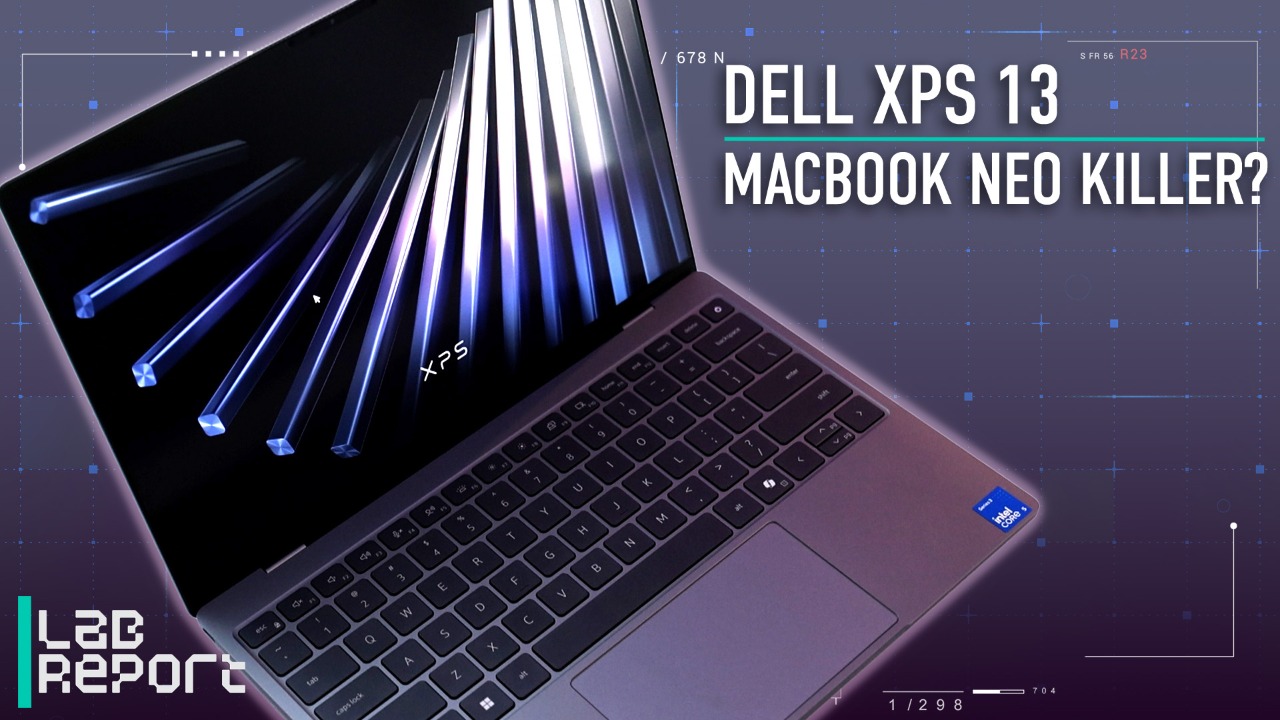

The $699 Dell XPS Is the Biggest Threat to the MacBook Neo
Design: Trimmer and Slimmer Than the MacBook Neo
The XPS 13 is already the smallest machine in the XPS lineup, but it’s actually lighter and (slightly) smaller than the MacBook Neo, weighing just 2.2 pounds. And that’s with its all-metal build.
I was pleased to discover that the XPS 13 feels extremely portable and more premium than its price would indicate. It’s easy to grab with one hand, and relative to chunkier alternatives, you’ll hardly notice it in your bag. The metal chassis feels like a higher-cost laptop, even if, like the Neo, it’s not the most luxurious build I've seen.

(Credit: Wesley Ott)
Dell is so confident in the comparison with Apple’s budget notebook that the team in Taipei even had a MacBook Neo on hand to place next to the XPS. The XPS is a bit trimmer, and while neither is heavy, Dell’s system is a bit lighter in-hand. Natural competitors, the two have a lot in common in terms of design.
Despite the trimmer and lighter design, the XPS 13 features a slightly larger display than the Neo (13.4 inches to the Neo’s 13). It’s a roomy screen for the footprint, and while it didn’t blow me away with brightness or vibrancy, it’s an effective 1600p display.

(Credit: Wesley Ott)
For me, Dell hit its mark with the XPS 13 design. Sure, I’d love for the keyboard and touchpad to feel a little less basic, but be reasonable: How much can you expect for under $700? It's a valid compromise. And overall, I think the XPS 13 justifies its $100 premium over the MacBook Neo.
Targeted Compromises and Feature Advantages
The display on the XPS 13 is not only larger than the Neo’s, but it’s also a touch screen—something no MacBook offers. I always view a touch screen as a non-essential but welcome feature. Sometimes, it just feels natural to poke or scroll down a screen with your finger, and having spent time with the XPS 13, it works well here. The compact and portable design makes it all the more natural to tap the touch screen as needed, and I think this suits its intended users, like students who may need to quickly scroll through notes.

(Credit: Wesley Ott)
The keyboard is backlit as promised, unlike the MacBook Neo—something I think is pretty much non-negotiable in 2026. The keyboard and touchpad are areas where Dell dials back from the higher-end XPS 14 and 16.
The keys are in a traditional lattice layout (rather than a flush edge-to-edge design), and the touchpad is a more basic mechanical touchpad (as opposed to the larger systems’ glass haptic touchpad). Both feel merely decent on the XPS 13, while still better than the chintzy inputs you sometimes encounter on budget laptops.

(Credit: Wesley Ott)
Dell also showed me the XPS 13’s newly designed compact 65W adapter. It’s a minor thing, but a welcome addition. Having a compact but fast charger (with a plug you can fold in to protect it) goes a long way in making a small laptop feel more portable.

(Credit: Wesley Ott)
One Last Question: Performance
After handling it in person, I like virtually everything about the XPS 13. The one thing I can't determine yet is how it will perform. The XPS 13 base model will run Intel’s Wildcat Lake platform, which is a relatively new entry-level series we haven’t tested in PC Labs yet. Even if we did have a baseline for it, we’d want to test the XPS 13 itself and find out how this implementation performs.
Recommended by Our Editors


(Credit: Wesley Ott)
On the power front, Dell estimates around 17 hours of battery life, which is decent (though not as long as others these days), but we’ll need to test it ourselves. Given its size and portability, a hearty battery will be key here.

(Credit: Wesley Ott)
Not Just a Worthy MacBook Neo Competitor, But a Leading Budget Laptop
The new XPS 13 isn’t merely a foil to the Neo—it’s a worthy budget option in its own right. College students, for example, are likely to love this build for the price. It’s fun, highly portable, and stylish.

(Credit: Wesley Ott)
As a MacBook alternative, even if Windows versus macOS is often the true deciding factor, the XPS has plenty to offer. I appreciate the metal build, roomy touch screen, lighter body, and key backlighting. If you aren’t deciding just by operating system, the XPS 13 makes a compelling case for itself.
Dell will also sell more expensive XPS 13 versions with Intel Panther Lake processors at a later date. The Wildcat Lake version launches this month, and Dell representatives said that Panther Lake models will land around July.
Check back for full benchmarks when units become available for us to test. For now though, I’m pretty impressed with the quality and value on display in the XPS 13.
About Our Expert

Matthew Buzzi
Principal Writer, Hardware
Experience
I’ve been a consumer PC expert at PCMag for 10 years, and I love PC gaming. I've played games on my computer for as long as I can remember, which eventually (as it does for many) led me to build and upgrade my own desktops to this day. Through my years at PCMag, I've tested and reviewed many, many dozens of laptops and desktops, and I am always happy to recommend a PC for your needs and budget.




 English (US) ·
